
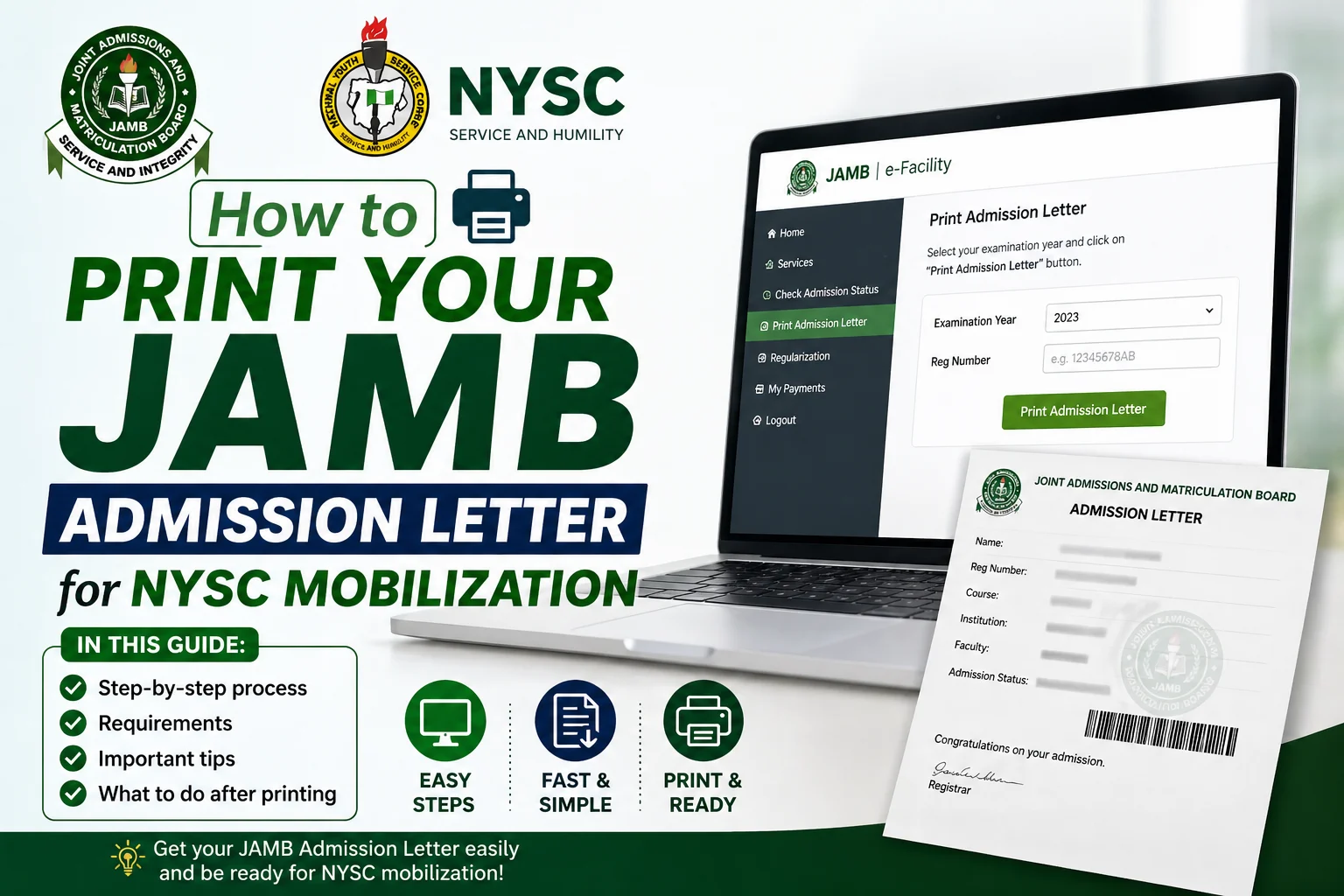
You’ve completed your degree program, passed all your courses, and received your admission letter from JAMB years ago. Now you’re ready to serve your country through NYSC, but there’s one small problem. You need that original JAMB admission letter, and you can’t remember where you kept it. If this sounds familiar, you’re not alone. Every year, thousands of Nigerian graduates scramble to retrieve their JAMB admission letters when NYSC mobilization season arrives, and many don’t even know where to start.
The JAMB admission letter serves as proof that you gained admission into your institution through the proper channels. NYSC requires this document during mobilization to verify your entry credentials and confirm that your admission process was legitimate. Without it, your mobilization process could face serious delays or complications, potentially affecting your batch assignment and start date.
This article walks you through the exact steps on how to print your JAMB admission letter for NYSC mobilization, even if you received your admission several years ago. Whether you’re a fresh graduate preparing for mobilization or someone who’s been searching for this information without success, you’ll find clear, practical instructions that work in 2024 and beyond.
Why Your JAMB Admission Letter Matters for NYSC Mobilization
Before we jump into the printing process, understanding why NYSC places such importance on your JAMB admission letter helps you appreciate the need to get it right. This document isn’t just another piece of paper in your mobilization folder, it’s a critical verification tool.
NYSC uses your JAMB admission letter to confirm several key details about your educational journey. First, it verifies that you gained admission to your institution through the official JAMB process, not through irregular means. Second, it helps validate your year of admission, which affects your eligibility for service. The letter also confirms your course of study and institution, which must match your final certificate and discharge documents.
Beyond verification purposes, your admission letter protects you from potential issues during documentation. Some graduates have faced questioning about their admission process years after graduation, and having this original document from JAMB settles such matters immediately. Think of it as your insurance policy against future complications.
Common Problems Without Your JAMB Admission Letter
Missing your JAMB admission letter during NYSC mobilization creates several headaches. Your institution might request it as part of their clearance process before issuing your discharge certificate. Some universities require you to submit copies during final clearance, and without it, you could face delays in getting your discharge document.
During NYSC registration at camp, verification officers sometimes request to see your JAMB admission letter alongside your other documents. While having a photocopy usually suffices, not having it at all raises red flags that could slow down your processing. In some cases, corps members without their admission letters have had to provide additional documentation or write explanatory letters.
Step-by-Step Guide: How to Print Your JAMB Admission Letter Online
Printing your JAMB admission letter has become significantly easier over the years. JAMB now maintains digital records that you can access online, meaning you don’t need to visit their offices physically. Here’s the complete process that works whether you gained admission in 2015 or 2023.
Gathering Your Required Information
Before you start the printing process, have these details ready:
- Your JAMB registration number from the year you sat for the exam
- Your email address (the one you used during JAMB registration if possible)
- Your date of birth as registered with JAMB
- Your institution’s name exactly as JAMB has it on record
Many people struggle because they can’t remember their JAMB registration number from years ago. If you’re in this situation, don’t panic. Your institution’s admission office typically has this information in your student file. You can also check any previous JAMB-related emails or documents you might have saved.
Accessing the JAMB E-Facility Portal
The primary method for retrieving your admission letter involves using the JAMB E-Facility platform. Open your web browser and visit the official JAMB E-Facility portal at efacility.jamb.gov.ng. Make sure you’re using a stable internet connection, as the process involves several steps that shouldn’t be interrupted.
On the homepage, look for the section labeled “Admission Letter” or “Print Admission Letter.” The portal interface occasionally gets updated, so the exact wording might change, but the functionality remains the same. Click on this option to proceed to the next page.
Entering Your Details and Retrieving Your Letter
You’ll now see a form requesting specific information. Fill in your JAMB registration number carefully, double-checking each digit. Even one wrong number will prevent the system from finding your records. Next, enter your year of examination, this is the year you wrote JAMB, not the year you gained admission (though they’re often the same).
The system will then ask you to verify your identity through additional questions. These might include your date of birth, email address, or other personal information you provided during registration. Answer these accurately using the details you registered with JAMB, not necessarily your current information if it has changed.
After submitting this information, the system searches for your admission record. If everything matches correctly, your admission letter will display on screen. This letter contains your name, JAMB registration number, institution, course of study, and admission details.
Downloading and Printing Your Admission Letter
Once your admission letter appears, you’ll see a download option, usually labeled “Download as PDF” or simply “Download.” Click this button and save the file to your computer. Name the file something memorable like “JAMB_Admission_Letter_[Your_Name]” so you can easily find it later.
Open the downloaded PDF to confirm that all information displays correctly and the document isn’t corrupted. Check that your name appears exactly as it should, your institution is correct, and the course matches your actual program of study. Any discrepancies at this stage need to be addressed before printing.
For printing, use quality paper preferably A4 size bond paper. While regular paper works, bond paper gives the document a more professional appearance and durability. Print at least three copies: one for your NYSC file, one for your personal records, and one as backup. Some people print five copies to be extra safe.
Alternative Methods When the Online Portal Doesn’t Work
Technology isn’t always cooperative, and sometimes the JAMB portal experiences downtime or technical glitches. If you’ve tried the online method multiple times without success, several alternatives can help you get your admission letter.
Visiting Your Institution’s Admission Office
Your university or polytechnic’s admission office maintains records of every student admitted through JAMB. These records include copies of admission letters sent by JAMB. Visit the admission office with a valid form of identification and your student ID number or matriculation number.
Explain that you need your JAMB admission letter for NYSC mobilization purposes. The staff will search their archives for your file. This process might take anywhere from a few minutes to several hours, depending on how their filing system works and how busy the office is when you visit.
Some institutions charge a small fee for retrieving archived documents, usually between ₦500 and ₦2,000. Once they locate your admission letter, they’ll provide you with a certified copy, often stamped by the institution to confirm its authenticity. This stamped copy serves the same purpose as the one you print from JAMB’s portal.
Contacting JAMB Customer Service
When both the online portal and your institution can’t help, JAMB’s customer service becomes your next option. You can reach them through several channels, each with varying response times and effectiveness.
The JAMB help desk email (typically found on their official website) allows you to send a detailed request explaining your situation. Include your full name, JAMB registration number, year of examination, institution, and reason for needing the admission letter. Attach any supporting documents you have, such as your student ID or discharge certificate.
Response times through email can range from a few days to several weeks, so this method works best when you’re not facing an immediate deadline. For faster responses, JAMB sometimes operates a help line during business hours. The number changes periodically, so check their official website for the current contact.
Using Third-Party Certified Services
Several licensed JAMB CBT centers and accredited service providers can help retrieve and print your admission letter for a fee. These centers have direct access to JAMB’s database and can often resolve issues that you can’t handle independently.
Exercise caution when choosing this route. Only use JAMB-accredited centers that you can verify through the official JAMB website. Avoid random cyber cafes or unverified agents who promise quick solutions for inflated prices. Legitimate centers typically charge between ₦1,000 and ₦3,000 for this service.
Troubleshooting Common Issues During the Printing Process
Even with clear instructions, several problems can arise when trying to print your JAMB admission letter. Knowing how to handle these issues saves time and frustration.
When Your Registration Number Isn’t Recognized
If the system returns an error saying your registration number doesn’t exist, first verify that you’re entering the correct number with no spaces or extra characters. JAMB registration numbers typically follow a specific format with letters and numbers, entering them in the wrong case or with additional spaces causes errors.
Sometimes the issue stems from using the wrong year. If you wrote JAMB multiple times before gaining admission, make sure you’re searching with the registration number from the year you actually received admission. Your institution’s admission letter (not the JAMB one) usually references which JAMB year and registration number to use.
Another common cause is database migration issues. JAMB has digitized older records over the years, and some very old records (before 2010) might not be fully accessible online. If your admission falls in this category, visiting JAMB’s office directly or working through your institution becomes necessary.
Handling Name Spelling Differences
You might find that the name on your JAMB admission letter differs slightly from your current official documents. This happens when you used a nickname during JAMB registration or there was a spelling error that was later corrected.
Minor differences usually don’t cause problems, but significant discrepancies need addressing. If the difference is substantial, request an affidavit from a court or notary public explaining the name variation and confirming that both names refer to the same person. Include this affidavit with your NYSC documents.
For future reference, consider obtaining a name verification letter from your institution confirming that despite the variation in spelling, you are indeed the same person who was admitted and completed the program. This document can prevent questions during documentation.
Dealing with Corrupted or Unreadable Downloads
Sometimes the PDF file downloads successfully but won’t open or appears corrupted. This often results from poor internet connectivity during download or compatibility issues with your PDF reader.
Try downloading the file again, preferably using a different browser or device. Chrome, Firefox, and Microsoft Edge all handle PDF downloads differently, and switching browsers sometimes resolves the issue. Ensure you have a reliable PDF reader installed, Adobe Acrobat Reader remains the gold standard for compatibility.
If the problem persists across multiple attempts and devices, the issue might be with JAMB’s server. Wait a few hours or try again the next day, as technical problems on their end usually get resolved quickly.
What to Do If You Never Received a JAMB Admission Letter
Some people reading this might be thinking, “What if I never actually received a JAMB admission letter in the first place?” This situation occurs more often than you might think, especially if you gained admission through institutional admission processes or if JAMB didn’t issue letters during your admission year.
Understanding Different Admission Pathways
Before JAMB became the central admission authority, some institutions admitted students through their own processes. If you gained admission before 2017, when JAMB’s role was strengthened, your admission might have been processed differently. Contact your institution’s admission office to confirm how your admission was processed and whether you need a JAMB admission letter at all.
For admissions processed through Direct Entry or other alternative pathways, the documentation requirements differ slightly. DE candidates receive letters directly from JAMB but through a different process than UTME candidates. Your admission office can guide you on the specific documents you need for NYSC.
Obtaining Confirmatory Documents
If your institution confirms that your admission didn’t involve a traditional JAMB admission letter, request an official letter from the school explaining your admission process. This letter should be printed on the institution’s letterhead, signed by the Registrar or Director of Admissions, and stamped with the official seal.
The explanatory letter should state clearly how you gained admission, reference any relevant JAMB registration numbers or processes you went through, and confirm that your admission was legitimate and properly documented. Many NYSC officials accept such letters when presented alongside other supporting documents.
Preparing Your Admission Letter for NYSC Submission
Having your JAMB admission letter printed is only half the battle. Preparing it properly for NYSC submission ensures smooth processing during mobilization.
Making Certified Copies
NYSC typically requires certified true copies of documents rather than original copies. Take your printed admission letter to a commissioner for oaths, notary public, or any authorized certifying officer. In Nigeria, these services are available at most high courts, magistrate courts, and some government offices.
The certifying officer will compare your photocopy against the original, stamp each page, and sign across the stamp to confirm that the copy is a true representation of the original. This process usually costs between ₦200 and ₦1,000 per document, depending on location and the specific office.
Keep your original admission letter (or the first print) safely stored at home. Submit only certified copies to NYSC and your institution. This practice protects you from losing the original document, which might be difficult to replace if it gets misplaced in someone’s office.
Organizing Your NYSC Document Folder
Your JAMB admission letter forms part of a larger documentation package for NYSC. Organize all your documents in a clear file folder with dividers. A typical arrangement includes:
- Academic certificates and transcripts (certified copies)
- JAMB admission letter (certified copy)
- Institution’s admission letter (certified copy)
- Discharge certificate or certificate of completion (original)
- Birth certificate or age declaration (certified copy)
- Passport photographs (at least 10 copies)
- Valid identification documents (certified copies)
Label each section clearly and arrange documents in the order that NYSC typically requests them during documentation. This organization saves time during registration and demonstrates professionalism to camp officials.
Creating Digital Backups
In our increasingly digital world, having electronic copies of all your documents provides an additional safety net. Scan your JAMB admission letter and other NYSC documents at high resolution (at least 300 DPI) and save them as PDFs.
Store these digital copies in multiple locations: your computer, an external hard drive, cloud storage services like Google Drive or Dropbox, and your email account. This redundancy ensures that even if physical copies get damaged or lost, you can quickly print new ones.
Some NYSC processing centers now accept digital submissions for preliminary verification, making these scanned copies even more valuable. Having everything digitized also helps if you need to send documents to your institution or JAMB for any reason during your service year.
Understanding JAMB Admission Letter Requirements Across Different NYSC Batches
NYSC mobilization happens in three main batches each year, Batch A (typically mobilizing in Feburary/March), Batch B (mobilizing in June/July) and Batch C (mobilizing in October/November). While the core requirements remain constant, specific documentation procedures sometimes vary between batches based on policy updates.
Staying Updated on Current Requirements
Check the official NYSC website and your institution’s notice boards regularly as your expected mobilization date approaches. NYSC occasionally updates their documentation requirements, and what worked for the previous batch might change slightly for yours. These changes rarely affect the JAMB admission letter requirement, but staying informed prevents last-minute surprises.
Join online communities and forums where prospective corps members share information about documentation and mobilization. Facebook groups, WhatsApp groups, and platforms like Nairaland often contain real-time updates from people going through the process. Balance this crowdsourced information with official communications to avoid acting on rumors.
Timeline for Document Preparation
Don’t wait until the last minute to print your JAMB admission letter. Start the process at least two months before your expected mobilization date. This timeframe gives you enough buffer to handle any complications that arise, whether they’re technical issues with the portal or delays in getting certified copies.
Create a checklist tracking each document you need and mark off items as you complete them. For your JAMB admission letter specifically, track these milestones: portal access achieved, letter downloaded successfully, copies printed, certification completed, document filed in your NYSC folder. This systematic approach reduces stress and ensures nothing falls through the cracks.
Frequently Made Mistakes and How to Avoid Them
Learning from others’ mistakes saves you time and frustration. Here are errors that prospective corps members commonly make when handling their JAMB admission letters.
Waiting Until the Last Minute
The biggest mistake is procrastination. Many graduates assume printing an admission letter is quick and easy, so they wait until days before NYSC registration opens. Then they encounter technical problems, discover their registration number doesn’t work, or find that the portal is down, leaving insufficient time to find alternative solutions.
Start early. As soon as you know your likely mobilization batch, begin gathering documents. This approach gives you weeks or months to solve problems rather than scrambling in the final days before deployment.
Using Unverified Third-Party Services
Desperation sometimes drives people to questionable service providers who promise to retrieve documents for high fees. Some of these operators are legitimate, but others are scammers who take money without delivering or provide fake documents that create bigger problems later.
Stick to official channels: the JAMB portal, your institution’s admission office, or verified JAMB CBT centers. Yes, these routes might take longer, but they guarantee authentic documents that won’t cause issues during verification.
Ignoring Document Discrepancies
When you finally get your admission letter, some people ignore small discrepancies between it and their other documents, hoping nobody will notice. This gamble can backfire during verification when officials compare your documents closely.
Address discrepancies proactively. If there’s a name spelling difference, get an affidavit. If the course listed differs slightly from your certificate (perhaps showing “Computer Science” versus “B.Sc. Computer Science”), obtain a clarification letter from your institution. These precautionary measures prevent potential delays during camp registration.
Forgetting Digital Backups
Relying solely on physical copies without digital backups is risky. Documents get lost, damaged by rain, or accidentally left behind. Having digital copies accessible on your phone or cloud storage means you can quickly print replacements if needed.
Take clear photos or scans of every document, including your JAMB admission letter, and store them in multiple secure locations. This simple step has saved many corps members from last-minute crises.
Conclusion
Getting your JAMB admission letter printed and ready is just one step in your NYSC journey, but it’s an important one that deserves your attention. This document validates your educational credentials and ensures your mobilization process runs smoothly. By following the methods outlined in this article, you’ve gained the knowledge to retrieve your admission letter efficiently, whether you graduated last year or a decade ago.
Remember that persistence pays off. If your first attempt at accessing the portal doesn’t work, try again. If the online method fails completely, your institution’s admission office provides a reliable fallback. Every graduate who’s successfully mobilized has faced some documentation challenge along the way, you’re not alone in this process.
As you prepare for NYSC, view each document you gather as a building block toward your successful deployment. Your JAMB admission letter represents your entry into higher education, your institution’s admission letter confirms their acceptance of you, your discharge certificate proves your completion of studies, and together, these documents tell the story of your academic journey. NYSC verification officials use these documents to confirm that story’s authenticity.
Start working on your admission letter today. Don’t wait for tomorrow, next week, or next month. Open that browser right now, visit the JAMB E-Facility portal, and begin the process. If you encounter problems, reach out to your institution or JAMB’s customer service this week. The earlier you start, the more time you have to resolve any issues that arise.
Your service year represents a significant chapter in your life, a time to contribute to national development, gain valuable experience, and build lasting friendships across Nigeria. Don’t let missing documentation prevent you from starting this journey on time. Take action now, get your JAMB admission letter sorted, and move confidently toward your deployment date.
For more guidance on NYSC preparation, explore resources about creating your NYSC profile, understanding batch mobilization timelines, and preparing for camp life. Each piece of preparation brings you closer to that moment when you’ll don your khaki uniform and officially begin your national service.