
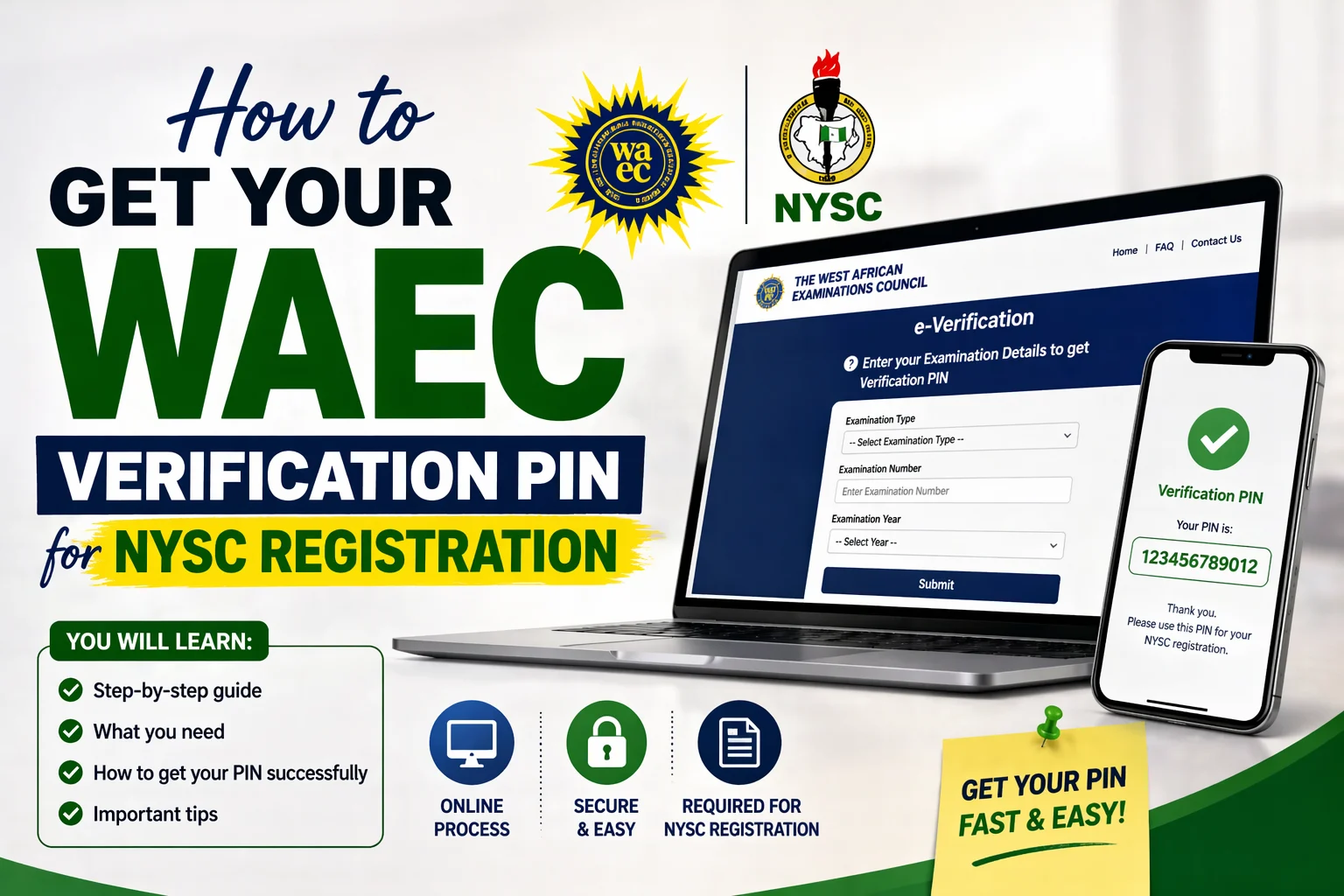
You’ve finally completed your National Diploma or university degree, and now stands between you and the green uniform of the National Youth Service Corps: a seemingly simple verification PIN from WAEC. Yet for thousands of Nigerian graduates each year, this single step becomes an unexpected roadblock. The NYSC portal won’t budge without it, and suddenly you’re stuck watching your batchmates move forward while you scramble to figure out what should have been straightforward.
Here’s the reality: WAEC verification issues account for nearly 30% of NYSC registration delays, according to informal surveys from registration camps across Nigeria. Whether you sat for your exams in 2010 or 2020, whether you’ve misplaced your original certificate or just need that 10-digit code, understanding the verification process can save you weeks of frustration. This isn’t about bureaucratic red tape, it’s about knowing exactly which doors to knock on and what information to have ready.
Getting your WAEC verification PIN doesn’t have to be complicated. In this article, you’ll learn the three main methods on how to get your WAEC verification pin for NYSC registration. By the time you finish reading, you’ll have a clear action plan that accounts for your specific situation.
Understanding the WAEC Verification PIN and Why NYSC Requires It
The WAEC verification PIN is a 10-digit code that confirms you actually sat for and passed your West African Senior School Certificate Examination. Think of it as a digital fingerprint for your academic credentials. NYSC doesn’t just take your word for it when you claim you have five credits including English and Mathematics, they need independent confirmation from WAEC itself.
This verification system exists because certificate forgery became a serious problem in Nigeria’s educational sector. NYSC lost credibility when graduates with fake certificates made it through the program, so they partnered with WAEC to create this authentication layer. When you purchase a verification PIN, you’re essentially buying access to WAEC’s database, which the NYSC portal queries in real-time during your registration.
What Happens Behind the Scenes
When you enter your verification PIN on the NYSC portal, here’s what actually occurs: The system sends a request to WAEC’s servers, checking whether your examination number, year of examination, and results match their records. If everything aligns, your registration proceeds. If there’s a mismatch, even a single digit error in your exam number, the system rejects your application and you’ll need to start troubleshooting.
Many graduates assume they only need this PIN if they’re missing their certificate. That’s incorrect. Every prospective corps member needs a WAEC verification PIN, regardless of whether you have your original certificate framed on your wall or buried somewhere in your parents’ house. The certificate proves nothing to the digital system; only the PIN grants access.
Method 1: Getting Your WAEC Verification PIN Online (The Fastest Route)
The online method works for about 80% of graduates, making it your first stop. WAEC maintains a dedicated portal for result verification at waecdirect.org, where you can purchase and receive your PIN within minutes if everything goes smoothly.
Step-by-Step Online Application Process
Here’s exactly how to navigate the online system:
- Visit the official WAEC Direct website at waecdirect.org.
- Click on “Result Verification” from the main menu
- Select your examination type (usually WASSCE for School Candidates)
- Choose your examination year from the dropdown menu
- Enter your examination number exactly as it appears on your certificate or statement of results
- Select your payment method (typically Remita, though some banks offer direct payment options)
- Complete the payment of ₦1,500 (this is the standard fee as of 2024)
- After successful payment, you’ll receive your verification PIN via email and SMS
The entire process takes 5-15 minutes when the system is working properly. However, WAEC’s servers tend to crash during peak NYSC registration periods, typically July through September for Batch A and January through March for Batch B. If you’re registering during these windows, try accessing the portal early in the morning (between 6 AM and 8 AM) or late at night (after 10 PM) when traffic is lighter.
Common Online Application Pitfalls
Your examination number is the most common point of failure. WAEC exam numbers follow specific formats depending on your examination year. For instance, a 2015 candidate might have a number like 3210123456, while a 2020 candidate’s number looks different. If you’re entering hyphens, slashes, or spaces where they don’t belong, the system will reject your request.
Another frequent issue: You selected the wrong examination type. WAEC administers several exams, including WASSCE (for school candidates), GCE (for private candidates), and NECO (which isn’t WAEC but sometimes gets confused in the mix). Double-check which exam you actually wrote. If you registered privately through a center after leaving secondary school, you likely wrote the GCE, not WASSCE.
Method 2: Obtaining Your PIN Through WAEC State Offices
When the online system fails you, whether due to technical errors, payment issues, or verification problems, visiting a physical WAEC office becomes necessary. Every state has at least one WAEC office, typically located in the state capital, where staff can assist with verification requests.
What to Bring to the WAEC Office
Don’t make the trip without these items:
- A printed copy of your WAEC statement of results or certificate (if available)
- Your examination number written clearly on a piece of paper
- A valid form of identification (national ID card, voter’s card, or driver’s license)
- Cash for the verification fee (₦1,500, though bring ₦2,000 to be safe)
- A notebook to write down any information the staff provides
WAEC offices operate Monday through Friday, typically from 8 AM to 4 PM, but they often close for lunch between 1 PM and 2 PM. Arriving early before 9 AM gives you the best chance of being attended to quickly. Tuesday through Thursday tend to be less crowded than Mondays or Fridays.
The In-Person Application Process
When you arrive, you’ll usually find a queue system. Inform the security personnel or receptionist that you need a verification PIN for NYSC registration. They’ll direct you to the appropriate desk. Be prepared to explain your situation clearly: “I need a WAEC verification PIN for NYSC registration. My examination number is [your number], and I wrote the exam in [year].”
The staff member will verify your information in their system. If your results are on file, they’ll process your payment and generate a PIN on the spot. This typically takes 15-30 minutes, depending on how busy the office is. You’ll receive a printed slip with your verification PIN, which you should photograph immediately and save in multiple locations.
What to Do When Your Examination Number Isn’t Recognized
This is where things get tricky for many graduates. You’ve entered your examination number correctly, paid the fee, but the system returns an error: “Examination number not found” or “No results available for this candidate.” Before you panic, understand that this doesn’t mean you never took the exam. It usually indicates a data entry issue from years ago.
Checking for Transcription Errors
WAEC’s database isn’t perfect. During the mass digitization of paper records from the 1990s and early 2000s, transcription errors occurred. Someone might have entered your exam number as 3210123456 when it should have been 3201123456. A single digit difference makes your record invisible to the automated system.
If you have your original certificate or statement of results, examine the examination number carefully. Try variations: if there’s a zero, try replacing it with the letter O. If there’s a 1, try an I or an l. Sometimes what looks like a 5 could be an S in older printing. Try these variations in the online system before concluding your record doesn’t exist.
Initiating a Records Search
When online variations fail, you’ll need to file a formal records search request at a WAEC office. This process differs from standard verification because it requires a staff member to manually search their archives. Here’s what you’ll need:
- A written application addressed to the State Coordinator explaining your situation
- Your full name exactly as it appeared when you registered for the exam (maiden names for married women who wrote the exam before marriage)
- The name of the school where you sat for the exam
- The month and year you wrote the exam
- Any identifying information from your registration (scratch card serial number if you still have it, registration number, etc.)
Records searches take longer, typically 3 to 7 working days and may cost more than standard verification (around ₦5,000 to ₦10,000 depending on the complexity). However, they’ve helped countless graduates locate records that seemed lost forever.
Alternative Verification Methods for Special Cases
Not everyone fits the standard WAEC verification mold. Some graduates wrote equivalency exams, attended schools in different West African countries, or have other unique circumstances that complicate the process.
If You Wrote NECO Instead of WAEC
NYSC accepts both WAEC and NECO certificates for O’Level requirements. If you wrote NECO, you’ll need to obtain your verification PIN from NECO’s own portal (myneco.org), not from WAEC. The process is similar but uses a different platform. NECO’s verification fee is also ₦1,500, and the PIN works the same way on the NYSC portal.
Some graduates wrote both WAEC and NECO. If your WAEC verification is proving difficult but you also have NECO results that meet the requirements, consider using your NECO credentials instead. NYSC doesn’t require you to use WAEC specifically—any recognized examination body works.
For Graduates Who Wrote Exams Outside Nigeria
If you attended secondary school in Ghana, Sierra Leone, Liberia, or Gambia and wrote WAEC in those countries, your verification process becomes more complex. WAEC operates as a regional body, but each country maintains separate databases. Contact the WAEC national office in Abuja for international verification requests, as state offices typically can’t access foreign records.
You’ll need to provide additional documentation: proof of the school you attended, the country where you wrote the exam, and potentially authenticated copies of your results. This process can take several weeks, so start early if this applies to you.
Dealing with Name Discrepancies
Marriage, deed polls, or simple spelling variations can create verification nightmares. If your current name differs from the name you used when you sat for WAEC, the system may reject your verification even with the correct examination number.
The solution requires documentation: bring your marriage certificate, deed poll, or affidavit showing your name change to a WAEC office. They can manually verify that the person named “Aisha Mohammed” on the 2014 WAEC results is the same person now known as “Aisha Abdullahi” on your university certificate. This manual verification takes longer but resolves the issue permanently.
How Much You’ll Actually Spend and Payment Methods That Work
Budgeting for your NYSC registration includes more than just the NYSC fee itself. The WAEC verification PIN costs ₦1,500 through official channels, but related expenses can add up if you’re not prepared.
Breaking Down the Real Costs
Here’s what most graduates spend on WAEC verification:
- Standard online verification PIN: ₦1,500
- Remita service charge: ₦50-₦100 (depends on payment method)
- Transport to WAEC office (if needed): ₦500-₦3,000 (varies by location)
- Manual records search fee: ₦5,000-₦10,000 (only if your record is difficult to locate)
- Document authentication (for name changes): ₦2,000-₦5,000
Most graduates spend exactly ₦1,550 total (verification plus service charge) if everything works smoothly online. Budget around ₦5,000 to ₦7,000 if you anticipate complications requiring an office visit or records search.
Avoiding Verification Scams
Fraudulent websites selling “instant WAEC verification PINs” have proliferated in recent years. These sites charge anywhere from ₦3,000 to ₦10,000 and provide PINs that don’t work on the NYSC portal. You’ll know you’ve hit a scam site if:
- The URL doesn’t exactly match “waecdirect.org“
- They claim to generate PINs “instantly without checking WAEC database”
- The price significantly exceeds ₦1,500
- They request payment through personal bank accounts rather than official channels
- The website design looks outdated or contains numerous grammatical errors
Always verify you’re on the official WAEC Direct website before making any payment. Type the URL directly into your browser rather than clicking links from search results or social media, where scammers often place advertisements.
Troubleshooting When Your PIN Doesn’t Work on the NYSC Portal
You’ve obtained your verification PIN, entered it carefully on the NYSC portal and error message. This frustrating scenario happens more often than it should, but it’s usually fixable without purchasing another PIN.
Common PIN Entry Mistakes
WAEC PINs are exactly 10 digits, no more, no less. Check that you’re not accidentally including spaces, hyphens, or the letters that sometimes appear on the verification slip alongside the PIN. The PIN itself contains only numbers 0-9.
Some graduates confuse their verification PIN with their examination number. These are different things. Your examination number is what you use to purchase the PIN; the PIN is what you use on the NYSC portal. Make certain you’re entering the right 10-digit code.
Timing and Synchronization Issues
WAEC’s database and NYSC’s portal sync periodically, not continuously. If you purchased your PIN within the last 2-3 hours, the NYSC system might not yet recognize it. Wait at least 6 hours after purchase before attempting to use the PIN on the NYSC portal. This synchronization delay frustrates many graduates who expect instant access.
During peak registration periods, synchronization can take up to 24 hours. If you purchased your PIN on a Friday evening, don’t be surprised if it doesn’t work until Monday morning. Plan accordingly and don’t buy your PIN at the last minute before registration deadlines.
When to Contact NYSC Support OR WAEC Support
If your PIN was generated successfully by WAEC but the NYSC portal rejects it, the issue likely lies with NYSC’s system, not WAEC. Contact NYSC’s technical support team through their official channels. Conversely, if WAEC couldn’t generate a PIN because your records weren’t found, that’s a WAEC issue requiring their assistance.
Keep records of all your transactions: payment receipts, PIN confirmation messages, and screenshots of error messages. These documents help support staff diagnose your issue quickly instead of making you start the explanation from scratch.
Timeline Planning: When to Start Your Verification Process
Timing your verification PIN purchase correctly can mean the difference between smooth registration and missing your batch entirely. NYSC operates on strict timelines, and technical delays don’t extend deadlines.
Ideal Timeline for Hassle-Free Registration
Here’s a realistic schedule based on thousands of graduates’ experiences:
- 8-10 weeks before NYSC mobilization: Verify you have your correct WAEC examination number and results
- 6-8 weeks before mobilization: Attempt to purchase your verification PIN online
- 5-7 weeks before mobilization: If online purchase fails, visit WAEC office to resolve issues
- 4 weeks before mobilization: Initiate records search if standard verification doesn’t work
- 2 weeks before mobilization: Final deadline for having your PIN in hand before registration opens
- Registration opening date: Complete your NYSC registration using your already-obtained PIN
Many graduates make the mistake of waiting until NYSC registration opens before thinking about their WAEC verification. By then, if problems arise, you’re racing against a deadline with limited time to resolve issues. Start the verification process the moment you know your mobilization batch.
What to Do If You’re Running Out of Time
If registration opens in two days and you still don’t have your PIN, focus on the fastest resolution path. Visit a WAEC office in person rather than waiting for online systems that might be overwhelmed. Explain your urgent situation to the staff, they often have expedited processes for graduates facing immediate NYSC deadlines.
Consider having a backup plan: If you wrote both WAEC and NECO, pursue verification through both simultaneously. Whichever PIN you obtain first, use that one for registration. This redundancy costs an extra ₦1,500 but provides insurance against missing your batch.
Protecting Your PIN and Using It Correctly During Registration
Once you have your verification PIN, treat it like cash. This code is usable only once, and if someone else enters it on the NYSC portal before you do, you’ll need to purchase another PIN.
Safe Storage Practices
Save your PIN in multiple secure locations:
- Screenshot the confirmation message and save it to cloud storage (Google Drive, iCloud, or Dropbox)
- Email the PIN to yourself at two different email addresses
- Write it in a physical notebook you use specifically for NYSC documents
- Save the SMS or email confirmation in a dedicated folder
Avoid sharing your PIN in WhatsApp groups or posting it on social media, even in “closed” groups. Screenshots get shared, and PINs get stolen. Keep this information private until you’ve successfully used it for registration.
The Registration Moment: Using Your PIN
When you reach the WAEC verification section of the NYSC portal during registration, you’ll need three pieces of information: your examination number, examination year, and verification PIN. Have all three ready before you start that section of the form.
Enter your information carefully, double-checking each field before clicking submit. Once you submit, the system validates your information with WAEC’s database. This validation typically takes 10-30 seconds. Don’t refresh the page or click back during this time, let the system complete its check.
If validation succeeds, you’ll see a confirmation message and be able to proceed with the rest of your registration. If it fails, you’ll receive a specific error message. Photograph or screenshot any error messages you receive, as they help troubleshoot the problem.
Conclusion
Getting your WAEC verification PIN doesn’t have to derail your NYSC registration if you approach it systematically. Start with the online verification process at waecdirect.org, which works for the majority of graduates and takes less than 15 minutes. If you encounter errors, don’t keep retrying the same method, escalate to an in-person visit at your state WAEC office where staff can diagnose and resolve specific issues.
Remember that timing matters significantly. Begin this process at least six weeks before NYSC mobilization to give yourself room for unexpected complications. Budget around ₦1,500 for straightforward verification, but set aside up to ₦7,000 if you anticipate needing records searches or multiple office visits.
Your WAEC verification PIN is a one-time gateway that proves your academic credentials to NYSC. Once you have it, store it securely in multiple locations and use it carefully during registration. Thousands of graduates successfully navigate this process every batch, you can too with the right preparation and knowledge.
Ready to take action? Start by locating your WAEC examination number right now. Check your certificate, statement of results or any documentation from your secondary school days. That 10-digit code is your starting point for everything else. Once you have it confirmed, visit waecdirect.org and begin your verification purchase. The sooner you start, the more time you’ll have to address any unexpected obstacles that arise.