
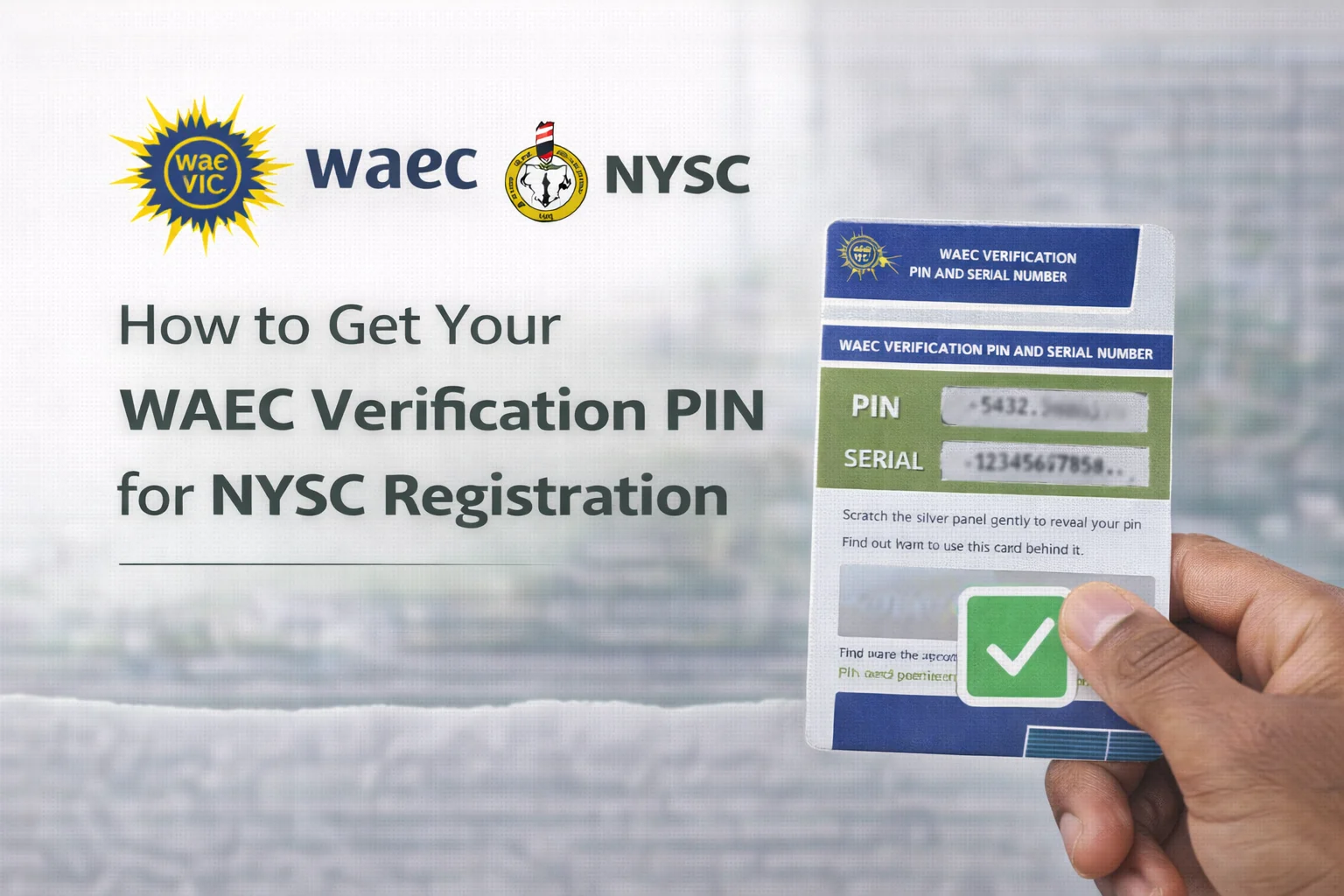
You’ve completed your university degree, celebrated with friends and family, and now you’re ready to serve your nation through the National Youth Service Corps (NYSC). You log onto the NYSC portal, fingers flying across the keyboard, filling out form after form. Then suddenly, you hit a wall, the system asks for your WAEC verification PIN. Your heart sinks. You stare at the screen, wondering where to get this mysterious code that stands between you and your registration.
If this scenario sounds familiar, you’re not alone. Thousands of Nigerian graduates face this exact moment every year. The WAEC verification PIN is one of those small but critical details that can derail your NYSC registration if you don’t know how to obtain it. Missing this single piece of information means delays, frustration, and potentially missing important registration deadlines.
Getting your WAEC verification PIN doesn’t have to be complicated. In this article, I’ll walk you through every step of the process, from understanding how to get your WAEC verification pin for NYSC registration. You’ll learn multiple methods to obtain your PIN, troubleshoot common problems, and discover tips that will save you time and money. By the end, you’ll have everything you need to confidently complete your NYSC registration without any hiccups.
What Is the WAEC Verification PIN and Why Do You Need It?
Before we jump into the how-to steps, let’s clarify exactly what you’re dealing with. The WAEC verification PIN is a unique code issued by the West African Examinations Council that allows authorized parties to verify your examination results. Think of it as a digital key that unlocks access to your authentic WAEC certificate information.
The National Youth Service Corps requires this PIN for several important reasons. First, it helps prevent certificate fraud, which has been a persistent problem in Nigeria’s education sector. By requiring candidates to purchase a verification PIN directly from WAEC, the NYSC can instantly confirm that your certificate is genuine and that the results you’ve entered match official records.
The Role of Verification in NYSC Registration
During your NYSC registration, you’ll need to enter details from your WAEC certificate, which would include your examination number, year of examination, and grades. The system then uses your verification PIN to cross-check this information with WAEC’s database. This automated verification process happens in real-time, which is why having a valid PIN is non-negotiable.
Without this PIN, your registration simply cannot proceed past the educational qualification stage. The system will keep prompting you to enter it, and you’ll remain stuck until you obtain one. This verification requirement applies to both SSCE and GCE certificates issued by WAEC.
How Much Does a WAEC Verification PIN Cost?
Let’s talk money. The standard price for a WAEC verification PIN is ₦2,500 (Two Thousand Five Hundred Naira). This amount has remained consistent for several years, though WAEC occasionally adjusts pricing based on operational costs.
Here’s what you should know about the pricing structure:
- One PIN per verification: Each PIN is valid for a single verification attempt, meaning you’ll need to purchase a new PIN if you’re verifying results for multiple purposes or if your first attempt fails due to incorrect information.
- No refunds: Once you’ve purchased a PIN and used it, WAEC does not issue refunds, even if the verification doesn’t return the expected results.
- Service charges may apply: Depending on your payment method, you might incur small transaction fees from your bank or payment platform.
- Watch for price changes: While rare, WAEC may adjust the PIN cost, so always verify the current price on their official website before purchasing.
Budget for at least ₦3,000 to cover the PIN cost plus any transaction fees. This small investment will save you countless hours of frustration and ensure your NYSC registration proceeds smoothly.
How to Get Your WAEC Verification PIN for NYSC Registration
The online purchase method is the most convenient option for most people. Here’s exactly how to do it, broken down into simple steps that anyone can follow.
Method 1: Purchasing Directly from the WAEC Website
This is the official and most recommended method. By buying directly from WAEC, you eliminate middlemen and reduce the risk of fraud or incorrect PINs.
Step 1: Visit the Official WAEC Website
Open your web browser and navigate to www.waecdirect.org. This is WAEC’s official online platform for result checking and PIN purchases. Be careful to type the URL correctly, there are fake websites that mimic the official site to scam unsuspecting users.
Step 2: Select “Purchase e-PIN”
On the homepage, you’ll see several options. Look for the button or link that says “Purchase e-PIN” or “Result Checking e-PIN.” Click on it to proceed to the purchase page.
Step 3: Choose Your Verification Type
The system will ask what type of verification you need. For NYSC registration, select “WAEC Result Verification.” You’ll also need to specify whether you’re verifying SSCE or GCE results, along with the examination year.
Step 4: Enter Your Personal Information
Fill in the required fields accurately:
- Your full name (as it appears on your certificate)
- Email address (you’ll receive the PIN here, so use an active email)
- Phone number (for SMS confirmation)
- Examination details (year, examination number)
Step 5: Make Payment
You’ll be redirected to a payment gateway where you can pay using various methods:
- Debit card (Visa, Mastercard, Verve)
- Bank transfer
- Mobile money platforms (like Quickteller, Paystack, or Flutterwave)
Enter your payment details carefully and complete the transaction. You should receive an instant confirmation message on the screen.
Step 6: Receive Your PIN
Within minutes of successful payment, you’ll receive your verification PIN via two channels:
- Email (check your inbox and spam folder)
- SMS to your registered phone number
The PIN is usually a 12-digit code. Write it down immediately or take a screenshot. Store it somewhere safe because you’ll need it during your NYSC registration.
Method 2: Purchasing Through Accredited Agents
If you don’t have access to online payment methods or prefer in-person transactions, WAEC has accredited agents across Nigeria who can sell verification PINs. These agents include select banks, cybercafés, and business centers.
To use this method, visit an accredited agent location with cash. Inform them that you need a WAEC verification PIN for NYSC registration. Provide your details (name, phone number, email, and examination information), and they’ll process the purchase for you. You’ll receive your PIN via SMS and email just like the online method.
One word of caution: Only use officially accredited agents. Ask to see their WAEC accreditation certificate before making any payment. This protects you from fraudsters who might sell fake or already-used PINs.
How to Use Your WAEC Verification PIN During NYSC Registration
You’ve got your PIN, congratulations! Now you need to use it properly during your NYSC registration. Here’s how the verification process works and what you should expect.
Locating the Verification Section in Your NYSC Portal
After logging into the NYSC registration portal and filling out your personal information, you’ll reach the educational qualification section. This is where the system asks for details about your WAEC certificate. You’ll see fields for:
- Examination type (SSCE or GCE)
- Examination number
- Examination year
- Your grades in various subjects
- WAEC verification PIN
Fill in all these fields carefully. Double-check your examination number. This is the most common source of verification failures. Your examination number should match exactly what appears on your WAEC certificate, including spacing and formatting.
Entering Your PIN and Triggering Verification
When you reach the PIN field, carefully type in the 12-digit code you received. Most people copy-paste their PIN to avoid typing errors, which is a smart approach. Just make sure there are no extra spaces before or after the code.
After entering all required information, click the “Verify” or “Submit” button. The system will communicate with WAEC’s database to confirm your certificate details. This usually takes 30 seconds to 2 minutes, depending on server traffic.
If verification succeeds, you’ll see a confirmation message, and your certificate details will be automatically populated or verified. You can then proceed with the rest of your registration. If verification fails, you’ll receive an error message explaining the problem.
Common Problems When Getting Your WAEC PIN and How to Fix Them
Even with clear instructions, things can go wrong. Let’s address the most common issues people face when trying to get and use their WAEC verification PIN, along with practical solutions.
Payment Was Successful But No PIN Received
This is probably the most frustrating scenario. You’ve paid your ₦2,500, received a debit alert, but no PIN arrives in your email or phone. Don’t panic, this happens occasionally due to technical glitches.
First, wait at least 30 minutes. Sometimes there’s a delay in the system, especially during peak periods when many people are registering for NYSC. Check both your email inbox and spam/junk folder thoroughly.
If you still haven’t received your PIN after an hour, take these steps:
- Note down your transaction reference number or payment receipt
- Contact WAEC customer support via their official channels (email: customercare@waec.org.ng or phone: +234 1 230 4130)
- Provide your payment proof and transaction details
- Request that they resend your PIN or investigate the transaction
WAEC typically resolves such issues within 24-48 hours. Keep your payment receipt safe, it’s your proof of purchase.
PIN Not Working During Verification
You’ve entered your PIN during NYSC registration, but the system says it’s invalid or already used. This can happen for several reasons.
First, verify that you’re entering the PIN correctly. Check for these common mistakes:
- Extra spaces before or after the PIN
- Mixing up similar-looking characters (0 vs O, 1 vs I, 5 vs S)
- Using an old PIN from a previous transaction
- Entering the PIN in the wrong field
If you’re certain the PIN is correct but it still won’t work, the PIN might have already been used. This can happen if you accidentally clicked the verify button twice or if someone else fraudulently obtained and used your PIN (which is rare but possible).
In this case, you may need to purchase a new PIN. Contact WAEC to report the issue first, sometimes they can reactivate a PIN if it was deactivated due to a system error.
Certificate Details Don’t Match WAEC Records
Your PIN works, but the verification fails because the details you entered don’t match WAEC’s database. This typically means there’s a discrepancy in the information you provided.
Common causes include:
- Incorrect examination number
- Wrong examination year
- Name spelling differences (maiden name vs married name, for example)
- Selecting the wrong examination type (SSCE vs GCE)
Pull out your physical WAEC certificate and compare every detail. Make sure you’re entering your examination number exactly as it appears, including any letters and spaces. If your name on the certificate differs from your current legal name, you may need to provide documentation explaining the change.
Alternative Methods for Verifying Your WAEC Certificate
While the WAEC verification PIN is the standard requirement for NYSC registration, it’s helpful to know about other verification methods you might encounter or need in the future.
Physical Certificate Verification at WAEC Offices
If you’re facing persistent online verification problems, you can visit a WAEC office in person. They have physical verification services where staff members can manually confirm your certificate details and issue a verification report.
This method is more time-consuming and typically costs more than buying a PIN online, but it’s useful when you need official documentation of your certificate’s authenticity for other purposes beyond NYSC registration.
WAEC has offices in most state capitals. Bring your original certificate, a valid ID, and passport photographs. The process usually takes a few hours to a few days, depending on the office’s workload.
Using Your WAEC Result Checker PIN
Some people confuse the WAEC verification PIN with the result checker PIN. These are different products for different purposes. The result checker PIN allows you to view your results online, while the verification PIN allows third parties (like NYSC) to confirm your results.
That said, if you still have access to your result checker PIN from when you first obtained your results, you can use it to verify your examination number and other details before purchasing a verification PIN. This helps ensure accuracy when you eventually fill out your NYSC form.
Tips to Make Your WAEC Verification Process Smooth and Stress-Free
Let me share some insider tips that will save you time, money, and frustration when dealing with WAEC verification PINs.
Purchase Your PIN Early
Don’t wait until the last minute to buy your verification PIN. NYSC registration periods are typically short and intense, with thousands of corps members trying to register simultaneously. This can overload WAEC’s systems and cause delays in PIN delivery.
Buy your PIN at least a week before you plan to register. This gives you a buffer period to resolve any issues that might arise without the pressure of an approaching deadline.
Keep Multiple Copies of Your PIN
Once you receive your verification PIN, save it in multiple locations. Take a screenshot and store it in your phone’s gallery. Forward the email to a secondary email address. Write it down in a notebook. This redundancy ensures you’ll never lose access to the code when you need it most.
Verify Your Certificate Details Before Registration
Before starting your NYSC registration, take time to carefully review your WAEC certificate. Note down your exact examination number, year, and grades for each subject. Having this information ready in a document or notebook makes the registration process much faster and reduces errors.
Use a Reliable Internet Connection
When purchasing your PIN and completing your NYSC registration, use a stable internet connection. Unstable connections can cause timeouts, duplicate transactions, or incomplete submissions. If possible, use a computer rather than a phone. The larger screen makes it easier to spot errors before submitting.
Keep Your Payment Receipts
Always save proof of every payment you make. Take screenshots of successful transaction pages, save bank alerts, and keep email receipts. These documents are your evidence if you need to dispute charges or prove that you purchased a PIN.
What to Do If WAEC Offices Are Closed or You Can’t Access Their Website
Sometimes circumstances make it difficult to get your PIN through conventional channels. Perhaps there’s a system maintenance, internet issues, or you’re in a location with poor connectivity. Here are some backup strategies.
Using Mobile Banking Apps
Many Nigerian banks now offer WAEC PIN purchases directly through their mobile apps. If you can’t access the WAEC website, check your bank’s app. Look for options like “Pay Bills,” “Buy Airtime & Data,” or “Educational Services.” Some banks list WAEC verification PINs under these categories.
The process is usually straightforward: select WAEC verification PIN from the menu, enter your details, and complete the payment. You’ll receive your PIN via SMS and email just like purchasing from the WAEC website.
Asking for Help from NYSC Orientation Camp Officials
If you arrive at camp without completing your online registration because you couldn’t get your verification PIN, don’t despair. NYSC camps usually have internet cafés and staff who assist with registration issues. They can guide you through purchasing a PIN and completing your registration on-site.
However, this should be your last resort because camp registration periods are hectic, and you might face long queues. It’s far better to sort out your verification PIN before traveling to camp.
Understanding WAEC’s New E-Certificate System and How It Affects PIN Requirements
WAEC recently introduced an electronic certificate system (e-certificate) that allows candidates to access their certificates digitally. This development has raised questions about whether verification PINs are still necessary.
Currently, the verification PIN requirement remains in place even with e-certificates. The PIN serves as an additional security layer that confirms you have authorized the verification. Even if your certificate is digital, organizations like NYSC still need to independently verify your results through WAEC’s official channels, which requires the PIN.
The e-certificate system does offer some advantages. If your physical certificate is damaged or lost, you can retrieve your results digitally, making it easier to get the exact details needed for purchasing and using your verification PIN. This reduces errors that occur when people struggle to read faded or damaged paper certificates.
Future Changes on the Horizon
WAEC continues to modernize its systems, and we may see changes to the verification process in coming years. Some education technology experts predict that blockchain-based verification or API integrations might eventually replace manual PIN purchases. For now, though, the PIN system remains the standard, so understanding how to navigate it is essential for your NYSC registration.
Frequently Asked Questions About WAEC Verification PINs for NYSC
Can I Use One PIN for Multiple Verifications?
No, each WAEC verification PIN is valid for a single verification transaction only. Once you use the PIN during your NYSC registration, it becomes invalid. If you need to verify your certificate for other purposes (like university admission or job applications), you’ll need to purchase additional PINs.
How Long Does a Verification PIN Remain Valid?
Technically, your verification PIN should remain valid indefinitely until you use it. However, WAEC recommends using your PIN within a reasonable timeframe after purchase, ideally within a few months. PINs purchased several years ago might not work due to system updates or database changes.
What If My WAEC Certificate Is More Than 5 Years Old?
Your certificate’s age doesn’t affect your ability to get a verification PIN. WAEC maintains records for all examinations they’ve conducted, regardless of how old they are. You can verify certificates from the 1990s, 2000s, or more recent years using the same PIN purchase process.
Can Someone Else Buy the PIN on My Behalf?
Yes, someone else can purchase the PIN for you as long as they have your correct certificate details. The PIN will be sent to the email address and phone number provided during purchase. Many students ask relatives or friends to help with this, especially if they’re having payment difficulties. Just make sure whoever is helping has accurate information to avoid purchasing a PIN with the wrong details.
Conclusion
Getting your WAEC verification PIN might seem like just another bureaucratic hurdle on your journey to NYSC service, but it’s actually a straightforward process once you understand the steps. The key is preparation, buying your PIN early, having your certificate details ready, and knowing how to troubleshoot common problems.
Remember these critical takeaways: Purchase your PIN from official channels only (www.waecdirect.org or accredited agents), double-check all your certificate details before entering them, keep multiple copies of your PIN, and don’t wait until the last minute. These simple practices will save you from the stress and delays that plague many prospective corps members.
The WAEC verification PIN is your gateway to confirming your educational qualifications and moving forward with your NYSC registration. It’s a small investment that protects the integrity of the entire system while giving you peace of mind that your certificate information is accurate and verifiable.
Now that you know exactly how to get your WAEC verification PIN, there’s no reason to let this requirement slow you down. Head over to the WAEC website, purchase your PIN today, and check one more item off your NYSC registration checklist. Your service year awaits, and you’re one step closer to joining thousands of other Nigerian graduates in serving your country.
Have you encountered any challenges with your WAEC verification PIN that weren’t covered here? Share your experiences in the comments below, your insights might help fellow corps members who are facing similar situations. Good luck with your registration!