 Skip to content
You’ve just checked the NYSC portal, and there it is your name on the mobilization list. The excitement hits you like a wave, but then reality sets in. You need that green card and call-up letter printed, and you need them fast. For thousands of Nigerian graduates, this moment marks the transition from university life to national service, and having the right documents printed correctly can make or break your registration experience at camp.
Every year, more than 300,000 graduates go through the NYSC mobilization process, and printing these essential documents remains one of the most common stumbling blocks. Some prospective corps members discover errors only after printing, others struggle with print quality issues that cause rejection at verification centers, and many simply don’t know the correct procedure to follow. The green card and call-up letter aren’t just pieces of paper, they’re your official ticket to beginning your service year for NYSC.
This article walks you through everything you need to know about how to print your NYSC Green Card and Call-Up Letter correctly the first time. Whether you’re printing from home or an internet café, you’ll learn the exact steps to access, download, and print these critical documents without common mistakes that could delay your registration or cause problems during camp clearance.
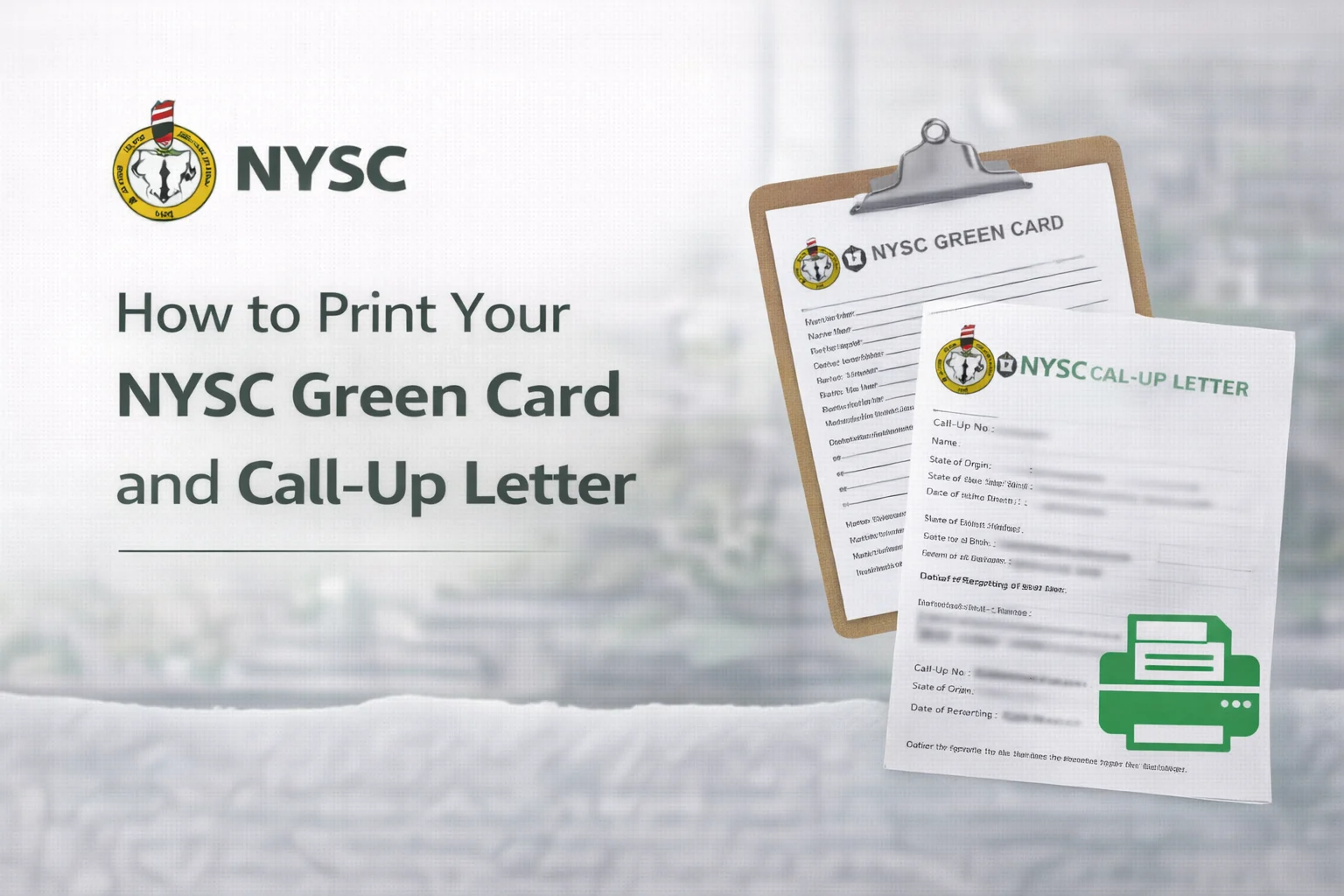
Understanding Your NYSC Green Card and Call-Up Letter
Before jumping into the printing process, let’s clarify what these documents actually are and why they matter so much. Many prospective corps members confuse these two documents or don’t fully understand their purpose until they arrive at camp.
What is the NYSC Green Card?
The green card (officially called the Mobilization Print-Out) is your primary identification document during NYSC orientation camp. It contains your personal information, deployment details, state code, and a unique registration number. Think of it as your NYSC passport, you’ll need to present it at multiple checkpoints from the moment you arrive at camp until you complete registration.
This NYSC green card document gets its name from the distinctive green color it displays when printed. The card includes your photograph, biodata, call-up number, state of deployment, local government area, and batch information. Security features embedded in the design help camp officials verify authenticity and prevent fraud.
What is the Call-Up Letter?
Your call-up letter is the official notification from NYSC directing you to report for national service. It specifies your orientation camp location, reporting date, and what items you should bring. This formal letter serves as proof that you’ve been mobilized for service and is often required by employers, schools, or other institutions that need confirmation of your NYSC status.
The call-up letter includes administrative details that the green card doesn’t cover, such as camp address, specific reporting instructions, and sometimes health guidelines or COVID-19 protocols. Both documents complement each other, and you’ll need to bring multiple printed copies of each to camp.
What You Need Before Printing
Getting your documents printed smoothly starts with proper preparation. Missing even one requirement can send you back to square one, so let’s cover everything you need to have ready.
Required Login Credentials
You’ll need your NYSC dashboard login details to access your documents. This includes the email address and password you used during registration. If you’ve forgotten your password, reset it before attempting to print. The password recovery process can take several hours, and you don’t want to be doing this the night before camp opens.
Keep your call-up number handy as well. You’ll find this in the mobilization notification email NYSC sent you. Some browsers auto-save this information, but it’s smart to write it down somewhere secure in case you need to log in from a different device.
Device and Internet Access
You can access the NYSC portal from any device with internet connectivity like laptop, desktop, tablet, and smartphone. However, printing directly from a computer offers the smoothest experience. Mobile devices work fine for viewing and downloading, but transferring files to a printer can add extra steps.
Make sure you have a stable internet connection. The NYSC portal can be temperamental, especially during peak mobilization periods when thousands of corps members are accessing it simultaneously. A dropped connection mid-download might corrupt your file, forcing you to start over.
Printing Resources
Decide where you’ll print before you download your documents. Your options include:
- Home or office printer (most convenient if available)
- University or institution’s printing services
- Commercial printing shops or business centers
- Internet cafés with printing facilities
If using a commercial printer, download your documents to a USB drive or send them to your email first. Never hand over your NYSC portal login credentials to café operators, then download the files yourself and only share the PDF files for printing.
Step-by-Step Guide to Accessing Your Documents
Now we get to the practical part. Follow these steps exactly as outlined to avoid the common errors that trip up many prospective corps members.
Logging Into the NYSC Portal
Open your web browser and navigate to the official NYSC portal at portal.nysc.org.ng. Bookmark this page for easy access, there are fake NYSC websites designed to steal login credentials, so always verify you’re on the official portal before entering any information.
Click on the “Existing User” button on the homepage. Enter your email address and password in the login fields. If the portal displays a CAPTCHA verification, complete it carefully. These security checks help prevent automated attacks on the system, make sure you type exactly what’s shown.
After successful login, you’ll land on your dashboard. This page displays your profile summary, mobilization status, and quick links to important documents. Take a moment to verify that your personal information is correct before proceeding to download anything.
Navigating to Your Green Card
From your dashboard, look for the section labeled “Print Call-Up Letter” or “Print Mobilization Document.” The exact wording varies depending on which batch you’re in, but it’s typically prominently displayed near the top of your dashboard.
Click this link to generate your green card. The system will process your request for a few seconds, don’t refresh the page or click multiple times, as this can cause errors. Patience here prevents problems later.
Your green card will appear on screen as a PDF preview. Before downloading, scan through it carefully to check for errors in your name, date of birth, institution, course of study, or deployment state. If you spot any mistakes, stop immediately and contact your institution’s NYSC coordinator. Printing incorrect information wastes money and creates complications at camp.
Downloading and Saving Your Files
Once you’ve verified everything is correct, click the download button (usually labeled “Download” or showing a downward arrow icon). Your browser will save the PDF file to your default downloads folder.
Rename the file immediately to something descriptive like “NYSC_GreenCard_YourName.pdf” so you can easily find it later. Create a dedicated folder on your device for NYSC documents, you’ll be adding more files throughout your service year, and organization makes life easier.
Download your call-up letter using the same process. It’s usually available from the same menu or a clearly marked adjacent link. Save both documents in your NYSC folder, and consider uploading copies to cloud storage (Google Drive, OneDrive, or Dropbox) as backup. Losing these files after the portal closes for your batch creates unnecessary stress.
How to Print Your NYSC Green Card and Call-Up Letter Correctly
You’ve got your files downloaded and ready. Now comes the actual printing, where small details make a big difference in whether your documents will be accepted at camp.
Choosing the Right Paper and Print Settings
Always print on clean, white A4-size paper. Some corps members try to save money using smaller or recycled paper, but this often leads to rejection at verification points. Camp officials are trained to spot irregular documents, and non-standard paper raises red flags.
Print in color for your green card, the green header and NYSC logo must be visible. Black and white prints get rejected during document verification because they lack the security features that color printing reveals. Your call-up letter can be printed in black and white, though color looks more professional.
Set your printer to “Best” or “High Quality” mode rather than “Draft” or “Economy.” The difference in ink usage is minimal, but print quality matters when officials are examining your documents under bright camp lighting. Faded text or washed-out photos create doubts about document authenticity.
How Many Copies Should You Print?
Print at least four copies of each document. Here’s why you need multiple copies:
- One copy stays with camp officials during registration
- One copy for your personal file during orientation
- One backup copy in case of damage or loss
- One extra copy for unexpected requests or administrative requirements
Printing extras costs very little compared to the headache of running around camp trying to find a printer when an official asks for another copy. Many camps have limited or overpriced printing facilities, and they’re often overwhelmed during registration periods.
Verifying Your Printed Documents
After printing, examine each copy carefully in good lighting. Check that your photograph is clear and recognizable, blurry photos get flagged during verification. Confirm that all text is legible, with no smudging, streaking, or missing sections.
Compare your printed copies against what you see on screen. Sometimes printer settings cut off margins or resize content, which can remove important information. If anything looks different between your screen preview and printed version, adjust your print settings and try again.
Look for the security features unique to authentic NYSC documents: the green border on your green card, the NYSC logo watermark, and your unique call-up number. These elements should be clearly visible on your printed copies.
Common Printing Problems and Solutions
Even with careful preparation, printing issues happen. Here’s how to troubleshoot the most frequent problems prospective corps members encounter.
PDF Won’t Download or Open
If your browser fails to download the PDF, try a different browser. Chrome, Firefox, and Edge all handle the NYSC portal differently, and switching often solves download problems. Clear your browser cache and cookies before attempting the download again, old cached data sometimes interferes with new downloads.
Make sure you have a PDF reader installed on your device. Windows 10 and 11 include built-in PDF viewers, but older systems might need Adobe Acrobat Reader or a similar program. Download and install a free PDF reader if your files won’t open.
Poor Print Quality Issues
Faded or streaky prints usually indicate low ink or toner levels. Check your printer’s ink status before printing important documents. If you’re using a commercial printer and notice poor quality, ask the operator to check their supplies, kindly don’t accept substandard prints just to save time.
For home printing, run a printer head cleaning cycle if your prints show lines or missing sections. This maintenance step takes a few minutes but dramatically improves output quality. Most printers include a cleaning utility in their settings or accompanying software.
Document Shows Incorrect Information
Errors in your printed documents require immediate action. Don’t try to manually correct anything or print anyway hoping it won’t be noticed. Camp officials check documents against portal records, and mismatches cause serious problems during registration.
Contact your institution’s NYSC coordinator right away if you spot errors. They can initiate correction requests through proper channels. Small mistakes like misspelled names or wrong dates of birth typically get fixed within a few days if reported promptly. Waiting until you’re at camp gate makes corrections much more difficult.
What to Do After Printing
Your documents are printed and verified. Here’s how to protect and organize them until you need them at camp.
Protecting Your Documents
Place your printed copies in a waterproof folder or document holder immediately. Rain, spilled drinks, or accidental damage during travel can ruin paper documents faster than you’d expect. A clear plastic sleeve protects your documents while keeping them visible for quick inspection.
Keep your documents separate from items that might stain or damage paper, pens, food, cosmetics, or anything liquid. Some corps members learn this lesson the hard way when leaking water bottles destroy carefully prepared documents hours before camp registration.
Organizing Additional Required Documents
Your green card and call-up letter are just two items in a larger set of documents you’ll need. Create a checklist and gather everything together so you’re not scrambling at the last minute:
- Original degree certificate or statement of result
- Photocopies of degree certificate (multiple copies)
- Birth certificate or age declaration
- Local government identification letter
- Medical fitness certificate
- Passport photographs (multiple copies in NYSC uniform)
Store all documents together in your NYSC folder. Create a simple checklist and tick off items as you pack them. Running through this list the night before travel and again in the morning prevents the sinking feeling of realizing you’ve forgotten something important while already on your way to camp.
Digital Backup Strategy
Technology provides an extra safety net. Take high-quality photos or scans of all your printed documents and save them to your phone and cloud storage. If physical copies get lost or damaged, having digital versions lets you print replacements quickly.
Email copies to yourself as an additional backup. Gmail, Yahoo, and other email services store messages indefinitely, giving you access from any device with internet. This redundancy might seem excessive, but it’s saved countless corps members who lost documents during travel or camp registration chaos.
Special Circumstances and Alternative Methods
Standard procedures don’t work for everyone. Here are solutions for situations that require different approaches.
Printing While Abroad or Outside Nigeria
If you’re outside Nigeria when mobilization lists come out, you can still access and print your documents. The NYSC portal works from anywhere with internet access. Use local printing services in your current location, the documents print the same regardless of which country’s printer produces them.
Consider having a trusted family member or friend in Nigeria print extra copies as backup. They can meet you at the airport or courier them to your camp if needed. International travel adds variables that make having multiple copies extra important.
What If the Portal Closes Before You Print?
NYSC typically keeps the portal open for document downloads until shortly before camp closes. However, if you miss the window, contact your institution’s NYSC coordinator immediately. They maintain official records and can help facilitate document reprints through proper administrative channels.
Some state NYSC secretariats maintain help desks that assist corps members with document issues. Visiting in person often yields faster results than phone calls or emails. Bring any confirmation emails, call-up numbers, or other proof of mobilization when seeking assistance.
Printing for Someone Else
Friends or family sometimes handle printing for corps members who can’t access computers or printers. If you’re printing someone else’s documents, respect their privacy and security. Don’t share their login credentials with anyone else, and delete their files from shared computers after printing.
The person whose documents you’re printing should ideally be present to verify accuracy before you print multiple copies. If that’s not possible, get them to review a photo of the screen preview before you hit print. Catching errors before printing saves money and prevents complications later.
Frequently Asked Questions About NYSC Document Printing
Can I Print My Documents at Camp?
Most orientation camps have business centers with printing services, but relying on them is risky. These facilities get overwhelmed during registration periods, with long queues and frequent printer breakdowns. Prices at camp business centers often run three to five times higher than commercial printers in town. Print your documents before traveling to camp whenever possible.
What Happens If My Printer Runs Out of Ink Halfway Through?
Partial prints don’t count as valid documents. If your printer fails mid-job, replace the ink cartridge and print fresh complete copies rather than trying to patch together partial prints. Camp officials won’t accept documents with missing sections or quality inconsistencies between pages.
Do I Need to Laminate My Documents?
Lamination is not required and actually not recommended for your green card. Officials sometimes write notes or stamp documents during processing, which they can’t do on laminated surfaces. A good quality clear folder provides sufficient protection without interfering with document use.
How Long Should I Keep These Documents After Camp?
Keep your green card and call-up letter throughout your entire service year and beyond. They’re part of your official NYSC record and may be needed when applying for discharge certificate, exclusion letters, or when future employers verify your service history. Many former corps members keep these documents permanently as part of their professional archives.
Tips for a Smooth Printing Experience
Learn from the collective experience of hundreds of thousands of corps members who’ve gone through this process. These practical tips help you avoid common pitfalls.
Timing Your Printing
Don’t wait until the last minute to print your documents. The NYSC portal experiences heavy traffic as camp reporting dates approach, making downloads slower or sometimes impossible. Print your documents within 48 hours of checking your mobilization status, this gives you time to fix any problems before the pre-camp rush begins.
If you’re printing at a commercial center, go during off-peak hours (weekday mornings work best). You’ll get faster service, more attention to quality, and better prices compared to the evening rush when students flood printing shops.
Testing Your Printer First
Before printing your actual NYSC documents, run a test page to check ink levels, alignment, and color quality. Print a random colorful PDF or photo to confirm everything works properly. Discovering printer problems while test printing costs less and creates less stress than finding out when you’re halfway through your green card.
Building Relationships With Reliable Printers
If you’re using a commercial printing service, find one you trust before you need urgent printing. Test them with less critical documents first. A printer who knows you and has proven reliable becomes invaluable when you’re facing tight deadlines or need emergency reprints.
Ask about their experience with NYSC documents specifically. Printers who regularly serve students and corps members understand the quality and color requirements better than those who mainly handle business documents.
Conclusion
Printing your NYSC green card and call-up letter might seem like a simple administrative task, but these documents represent something bigger. Your transition into national service and the next chapter of your professional development. Taking time to print them correctly, verify their accuracy, and protect them properly sets the tone for how you’ll approach your entire service year.
The process itself teaches valuable lessons about attention to detail, preparation, and following official procedures. Skills that will serve you well throughout NYSC and beyond. Those who rush through printing often face preventable problems at camp gates, while corps members who follow proper procedures experience smooth registration and can focus on making the most of orientation.
Remember that these documents connect you to a national program with decades of history. Every year, hundreds of thousands of Nigerian graduates print these same forms, pack their bags, and head to orientation camps across the country. You’re joining a tradition of service that has shaped careers, built friendships, and contributed to national development since 1973.
Now that you know exactly how to print your NYSC documents correctly, take action today. Log into the portal, download your files, and get them printed while you have time to address any issues that might arise. Double-check your other required documents, organize your NYSC folder, and prepare for the adventure ahead. Your service year starts the moment you commit to doing these preparatory steps right and that commitment begins with two properly printed pieces of paper that open the door to an experience that will stay with you for life.
Safe travels to camp, and congratulations on taking this important step toward completing your NYSC journey. The memories you’ll make, connections you’ll build, and lessons you’ll learn all begin with those printed documents tucked safely in your bag.